How to Use
Welcome to the Price Chart! Here you will quickly see how to use the extension.
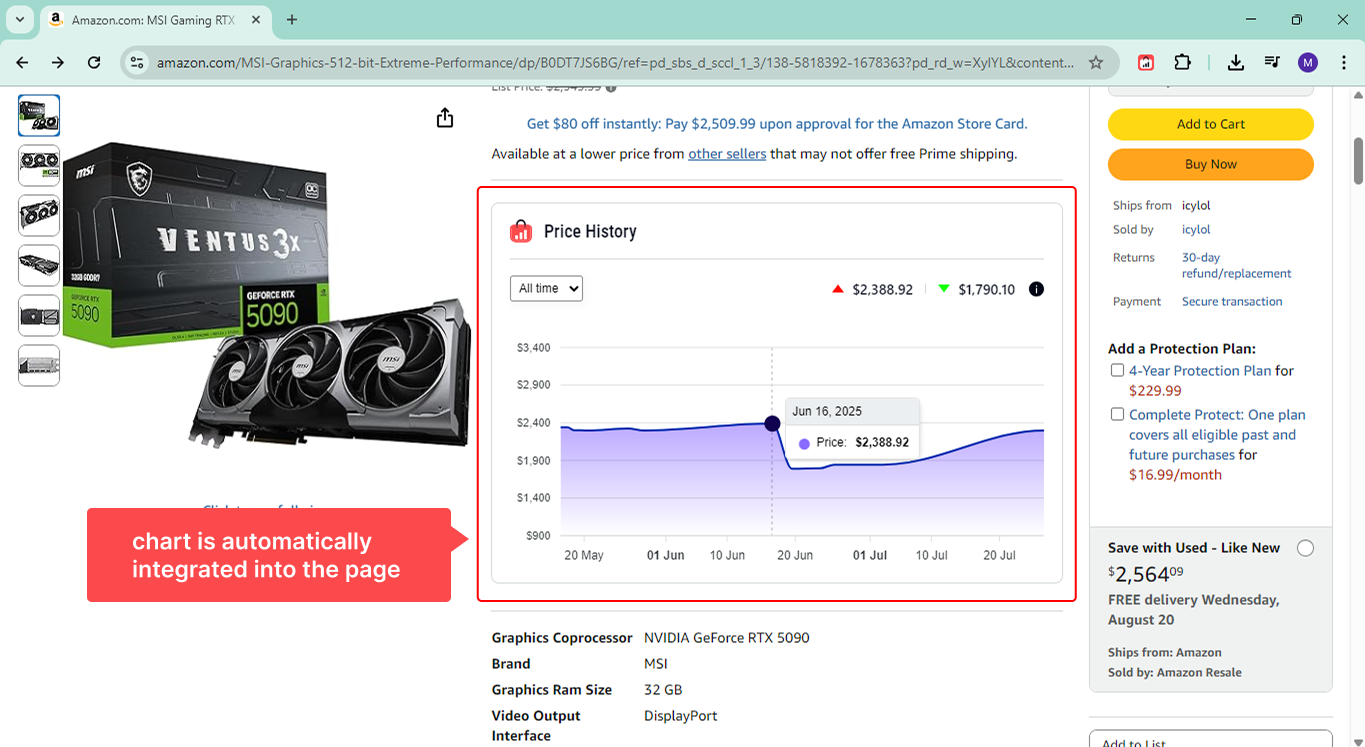
If you prefer, you can skip the reading and go straight to any product page on Amazon. The chart will be there, automatically integrated into the page.
1. Open a product on Amazon
Go to any product page on Amazon (amazon.com, amazon.com.br, and other supported domains). As soon as the page loads, an interactive price history chart will appear right next to the product image.
2. Explore the chart
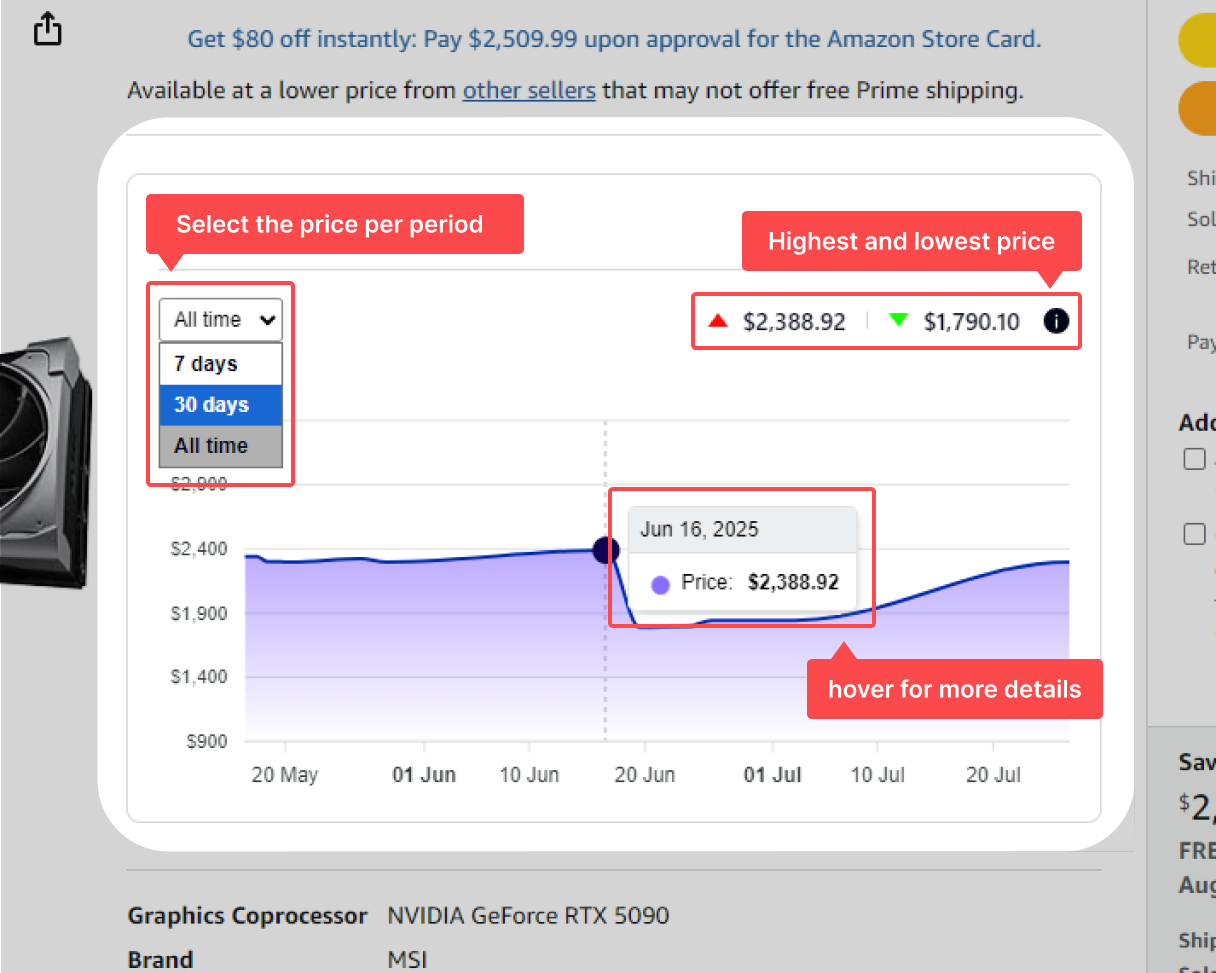
Hover over the chart to see the price on each date. Use this to identify the best time to buy by comparing past prices with the current price. You can also select the chart period to view only the last few days, months, or the entire available history.
3. Set Price Alerts
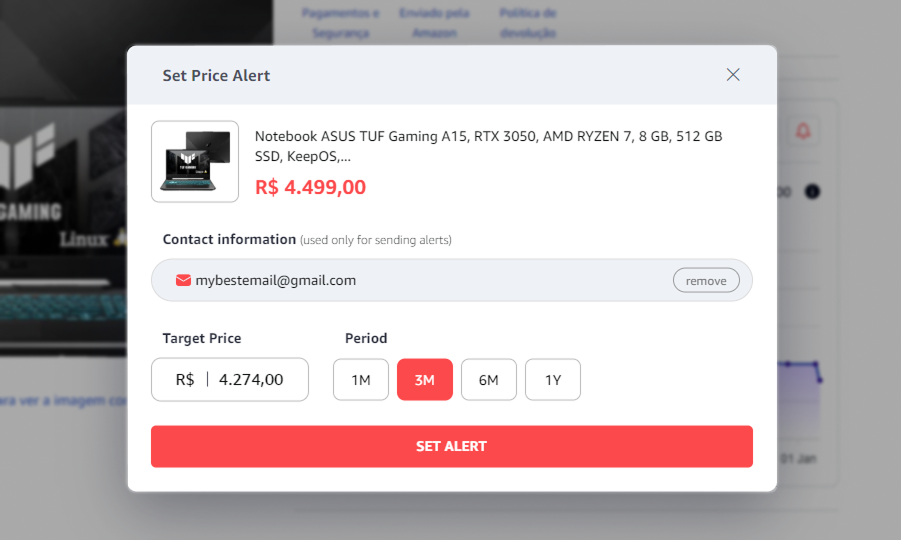
You can now create price alerts directly on the Amazon product page and let Price Chart watch the price for you.
4. Manage in the popup
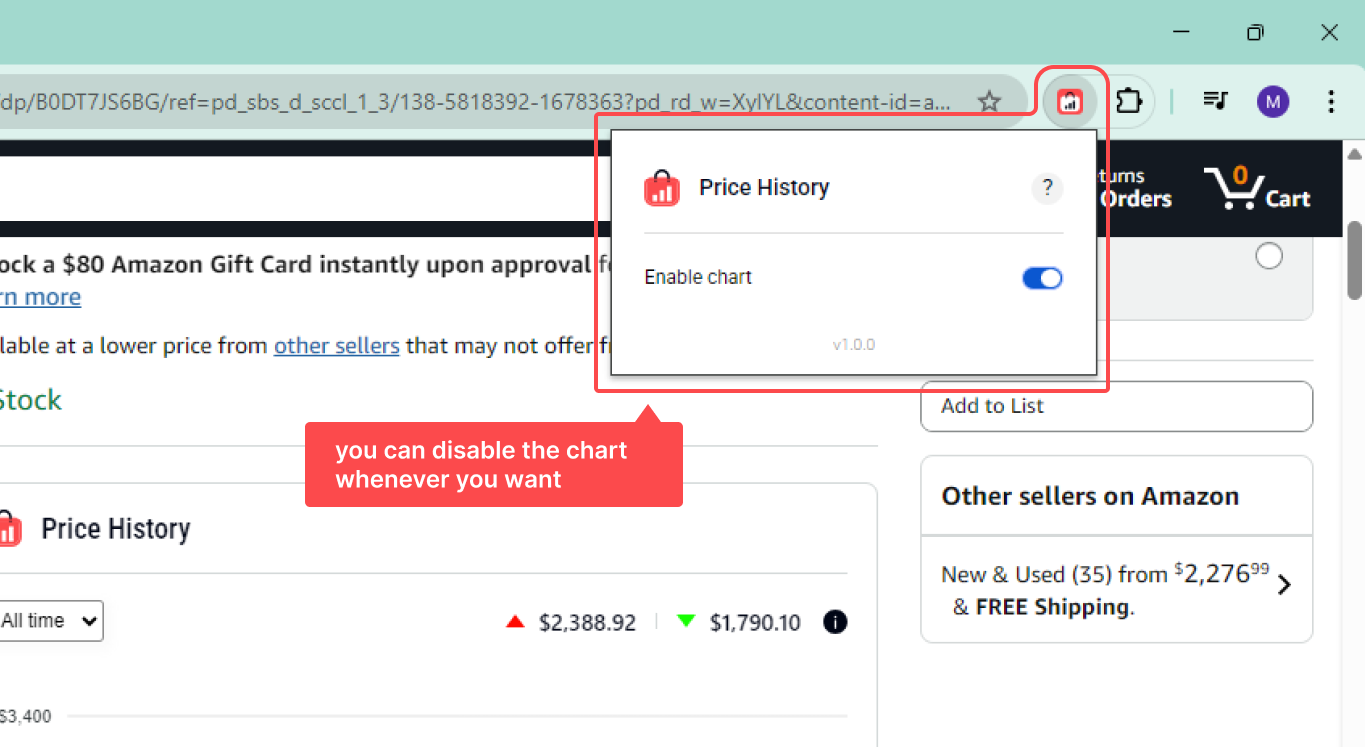
Click the extension icon in the corner of the browser to open the popup. There, you can disable or re-enable the chart display at any time.
5. Done! Everything automatic
As long as the extension is active, it will work automatically on all Amazon product pages.